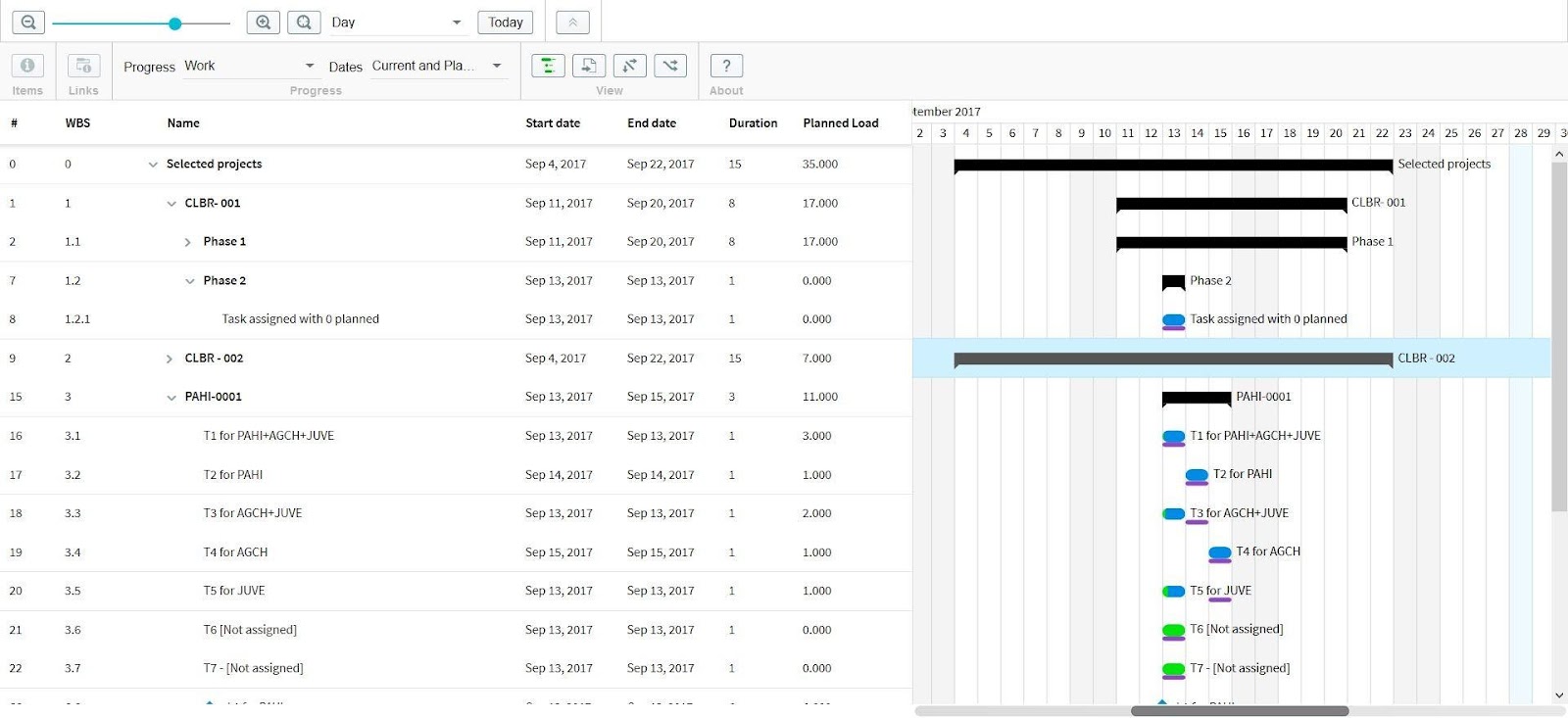
Multi Project Gantt (v10.xx)
The Multi Project Gantt gives you an overview across all selected projects. By selecting to create a new detailed Gantt, a selection box appears.
It is possible to select the projects either by list or by Criteria:
- By list: multiple projects can be selected manually.
- By criteria: all projects fulfilling the selected criterias will be shown: