Associating a Workflow to a Document (v8.xx)
Once a Workflow Definition and all of its statuses and actions have been completed, all that remains is to associate the Workflow with the document type it belongs to. I.e. if the workflow is for a contract revision, then it is not necessary to associate the workflow with the Contract document type.
To associate a workflow to a document type:
Navigate to the [Setup & Administration] module of the 'Projects' database, [Setup] tab
Select «Document types» from the contextual navigation menu; all of the document types will be listed in the content window
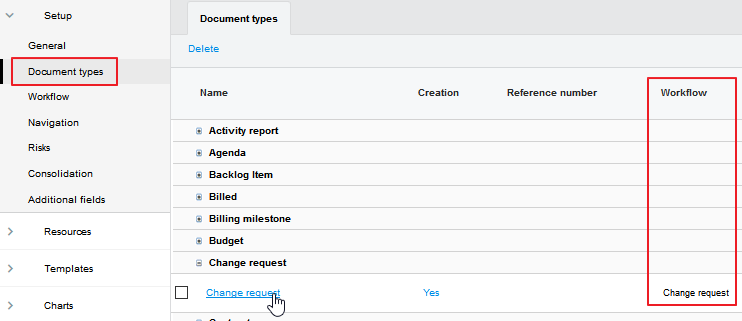
Locate the document type the Workflow is to be associated to and expand it by clicking on the icon
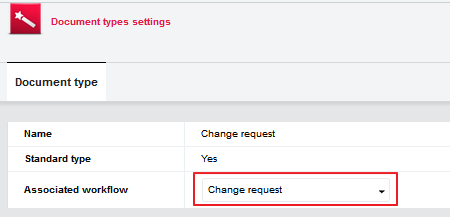
Open the record that is displayed in edit mode
In the [Associated workflow] field, select the desired workflow from the drop down list